
Share this @internewscast.com
As an avid retro gaming enthusiast, I was ecstatic when Apple decided to welcome emulators into its App Store in 2024. This move promised a new era of gaming on mobile devices. Yet, despite the enthusiasm, I find myself still on the hunt for a controller that truly enhances the retro gaming experience on my phone.
Controllers that clamp onto the phone, like the Backbone Pro, often feel too cumbersome. Meanwhile, standalone gamepads require me to prop up my phone, a hassle I prefer to avoid. Enter the Abxylute M4, a device that piqued my interest when it was introduced a few months back. This compact wireless gamepad employs a magnetic mount to latch onto my iPhone, offering a clever and seemingly ideal solution. However, its potential is undermined by rigid thumbsticks and a magnetic mount that doesn’t always inspire confidence in its grip on my phone.
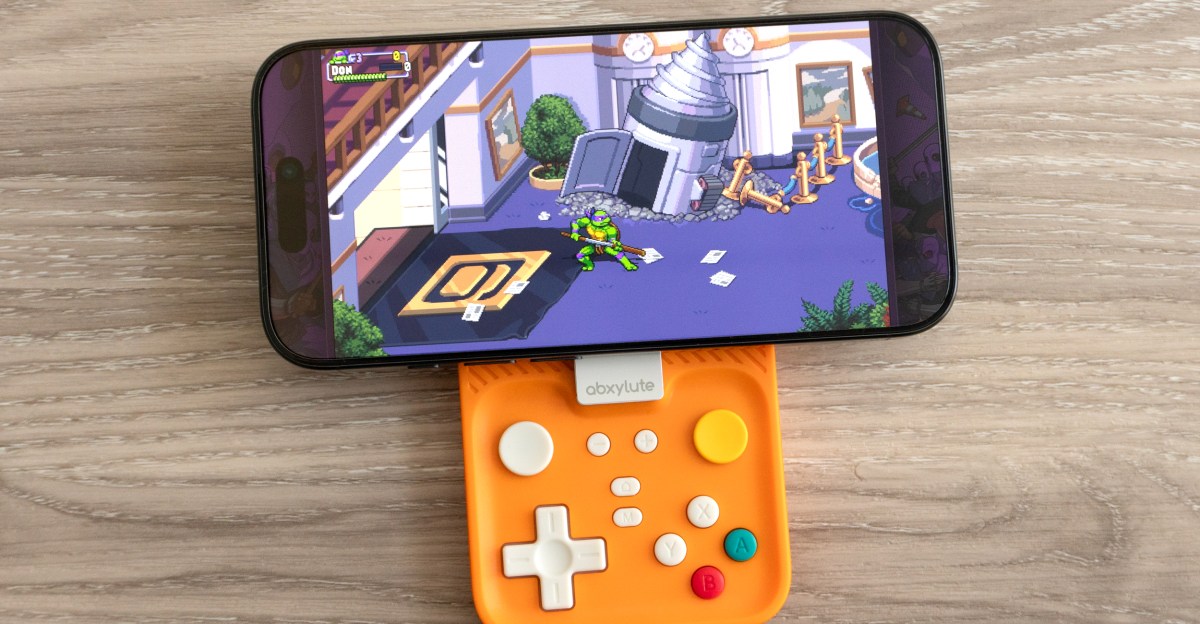
The Abxylute M4 consists of two parts: a retro-styled rectangular gamepad that connects via Bluetooth and a Q-shaped mount designed to attach the controller to your phone, simulating the feel of a handheld console. This mount is compatible with MagSafe iPhones and the Google Pixel 10 series. I primarily tested it with an iPhone 16 Pro, though Abxylute provides an adhesive metal ring to enable compatibility with other phones.

The magnetic ring on the M4’s mount adheres to my iPhone with the same reliability as any MagSafe accessory or Qi2 charger, ensuring it remains firmly attached until intentionally removed. It boasts a smooth finish, allowing for rotation so the gamepad can be discreetly positioned behind the phone rather than awkwardly hanging off the side. However, this design results in a bulkiness that makes it too thick to comfortably fit in a pocket, prompting me to detach it entirely when not in use.


A notable limitation of the M4 is its landscape-only gaming orientation. When attached, the controller’s design prevents accessibility to all controls in a vertical position. While not a flaw per se, as a long-time Game Boy fan, I naturally gravitate towards vertical gameplay. Newer mobile controllers, such as the GameSir Pocket Taco and the 8BitDo FlipPad, cater to that preference.

Perhaps the most significant concern with the M4 is the connection between the mount and the controller, which also utilizes a magnet. Though it snaps into place effectively, the connection sometimes feels insufficiently robust to securely hold the controller and phone together during gameplay.

The connection between the mount and controller feels secure enough when I’m holding the M4 and my phone up in front of me while playing a game. But at some angles, or when I accidentally bump my phone, the mount can separate from the gamepad. The two will also consistently disconnect if you absentmindedly turn the whole thing upside down, sending the phone and the attached mount falling. Thankfully, all my testing was done on a soft sofa.
I’m not the only one to experience this behavior. Retro Dodo’s Brandon Saltalamacchia did, too. The connection might fare better with a lighter phone, like the iPhone Air, but given smartphones are now a significant investment (my iPhone 16 Pro cost just shy of CA$1,500 here in Canada, or around $1,100 US), I’m not comfortable using the M4 as it’s designed.
The M4 isn’t entirely dependent on its magnetic mount. It can be used as a standalone controller with phones, consoles, or any device that supports Bluetooth gamepads. I was surprised at how comfortable it was to use with my gigantic hands. Its square-shaped design lets me reach the M4’s shoulder buttons without contorting my index fingers, and the build quality feels solid.


The controller’s four action buttons are small but have a satisfying amount of resistance. They’re paired with a large D-pad that’s a bit mushy and prone to registering inputs from multiple directions, but adequate for pick-up-and-play gaming sessions. Choose a different controller if you’re chasing high scores.

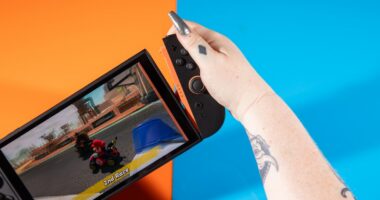
Abxylute includes two analog joysticks, a feature rarely found on controllers this size. They use a sliding disc design similar to what Nintendo used on the 3DS — but less effective. The sliding joysticks on the M4 are stiff and uncomfortable, making subtle movements nearly impossible. My thumb ached after just a handful of races in Mario Kart World, and I can’t see myself using either of the joysticks again.

As compact controllers go, the $49 Abxylute M4 is good, but far from great. But that’s not why people are going to buy it. Its promise of turning a smartphone into a handheld console helped the company raise over $300,000 from nearly 6,000 backers on Kickstarter — a lot of whom I think will be frustrated or disappointed if they’re not extra cautious while using it. Trusting your $1,000 mobile device to the M4 requires a leap of faith that’s a bit too far for me.
Photos by Andrew Liszewski / The Verge