
People will go to all sorts of lengths to keep their homes safe, from fancy locks to security cameras.
But an expert has warned there’s one thing homeowners are forgetting to do that could be putting their house at risk.
Blurring your home on Google Maps might serve as a deterrent for burglars using the tool to study entry points, security setups, and potential valuables, he suggested.
And the simple tactic could stop would-be robbers from targeting your home.
Ryan Railsback, an officer with the Riverside Police Department in Southern California, mentioned that he knows of some homeowners who have already taken this precautionary measure.
And he urged others to consider doing it too.
‘The criminals are constantly seeking new and creative methods to target individuals,’ he told ABC News. ‘It’s beneficial for the public to be vigilant and counteract the tactics that criminals are employing.’
So, how do you go about blurring your home?

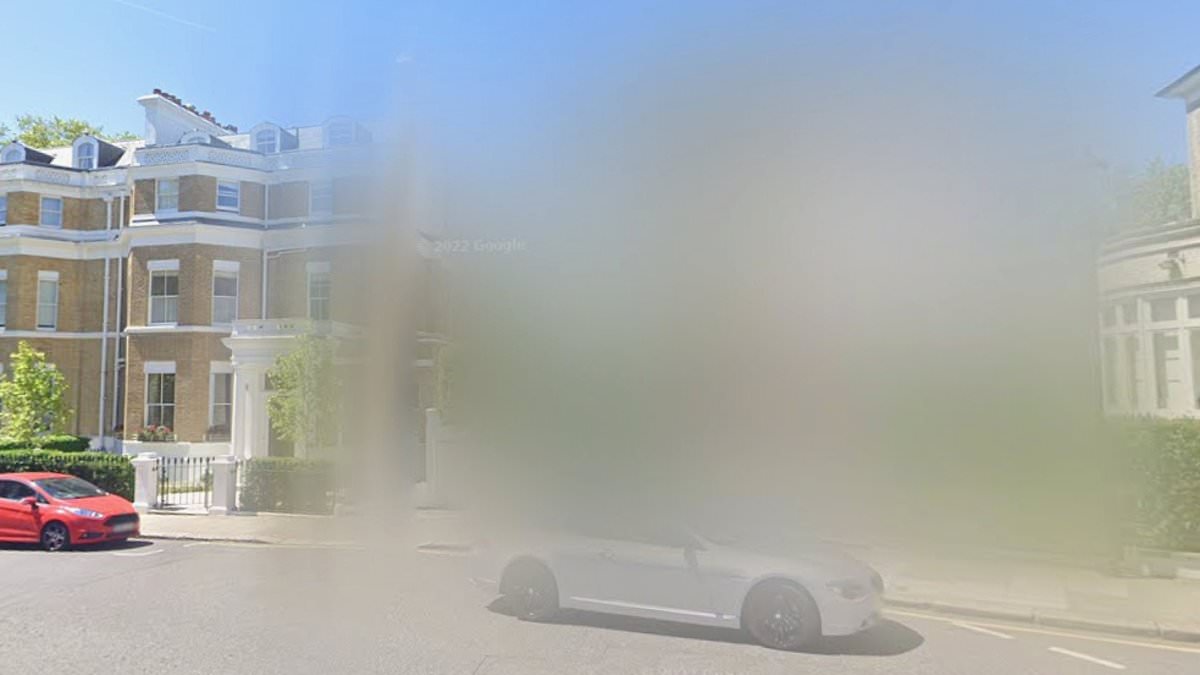
This home, in Phillimore Gardens in Kensington, has been blurred out. The road is home to some of the most expensive houses in the country

Only a home owner or tenant is eligible to request a house blur, Google says. Pictured: A blurred house in Knightsbridge, London
According to Google, anyone can request to blur their house if they prefer that it appear that way on Google Street View.
‘Google Street View cars capture images from public roads, which might include your home,’ their website reads.
‘If an image contains inappropriate content, or you prefer your home not be shown, you can request it to be blurred.
‘Once Google blurs your home, the blur is permanent. Only the home owner or tenant is eligible to request a house blur.’
To blur your home on your computer or smartphone, you must first find it on Google Maps.
Open the Street View image that you want to blur, and in the bottom right click ‘Report a problem’. Complete this form and then submit.
‘We’ll review your report as fast as we can,’ Google says. ‘If you entered your email address in the form, we may contact you to get additional information or to update you on the status of your report.’
The safety tactic of blurring one’s home on Google Maps has been around for years, Christopher Herrmann, a professor of law and police science at John Jay College of Criminal Justice in New York, told ABC News.

This property in Glebe Place, London, has also been blurred. Once Google blurs a home, the blur is permanent

The tactic could help deter burglars from targeting your property, experts said, along with other measures such as heavy-duty locks or alarm systems (stock image)
The simple digital fix could stop robbers from targeting a given home, he said, adding: ‘Would-be thieves certainly want to scout their locations before they hit them.’
When seeking online images of a home, criminals look for valuable assets worth stealing and any security barriers that may be in place to stop them, he explained.
That includes identifying a home’s layout and entrance, as well as the presence of a front-door camera or exterior surveillance system.
However, the manoeuvre also risks backfiring – prompting burglars to wonder what you have to hide if you’re the only house on a street which is blurred.
A quick look along some of the UK’s most expensive streets reveals that certain homeowners have already taken this step.
Certain London properties in Phillimore Gardens in Kensington, Grosvenor Square in Mayfair and Knightsbridge have all been blurred out.