
Share this @internewscast.com
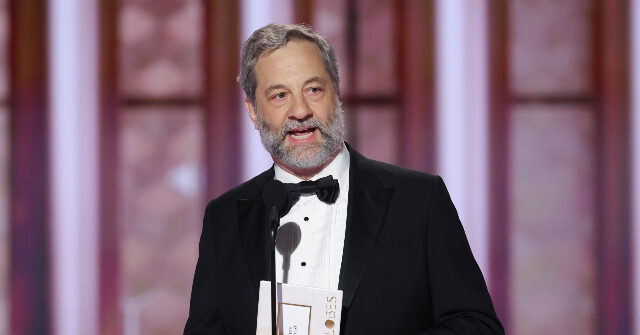
During the Golden Globe Awards on Sunday night, director Judd Apatow delivered a humorous remark while presenting the Best Director award, quipping, “We’re a dictatorship now.”
Apatow’s comment came as he reminisced about his film Trainwreck losing the Best Picture for Musical or Comedy award to Ridley Scott’s The Martian a decade ago.
“I’ve had an issue ever since my movie Trainwreck was defeated by The Martian for Best Comedy,” he remarked. “It’s all water under the bridge now, even though it’s been 10 years. We’ve faced a pandemic, and I think we’re living in a dictatorship, yet I’m still hung up on the whole Martian incident.”
Though Apatow didn’t specifically name the president in his speech, he has been known for his critical stance on the Trump administration. At the DGA Awards last year, Apatow expressed his dismay following Trump’s inauguration, declaring, “We’re screwed.”
“From now on, my new pronouns are ‘We’re screwed,’” Apatow stated.
He added, “Some of you in this room might have voted for Trump. I’m not here to judge you—God will.”
Apatow further took aim at Tesla CEO Elon Musk, adding that “if you’re the owner of the Tesla Cybertruck in the parking lot, please go fuck yourself.”